What Does Amazon Know About You? How to Find and Delete Your Amazon Profile
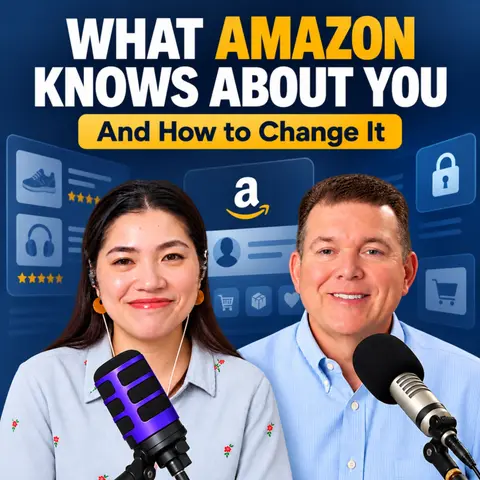
Amazon knows what you buy. But what if it also thinks it knows what you wear, what you own, and even what your body looks like?
That's not a hypothetical.
A shopper recently discovered that Amazon's About You page described her as having flat buttocks. The discovery went viral, and suddenly people started asking a question most had never considered:
What exactly does Amazon think it knows about me?
I decided to find out.
When I checked my own Amazon profile live on Becoming Financially Confident, I found 53 entries about my life, habits, and preferences.
And the unsettling part? Almost all of them were correct.
Here's how Amazon builds that profile, what I discovered in mine, and how you can check and delete information in yours.
What Is Amazon's About You Page?
Amazon's About You page is a personalized shopping profile built from information about your activity on the platform.
Introduced in May alongside Alexa for Shopping, the feature draws on information such as:
-
Your Amazon purchases and shopping history
-
Products you've searched for
-
Items saved to your lists
-
Reviews you've written
-
Conversations with Alexa for Shopping
Amazon says it uses this information to improve product recommendations and make shopping more relevant.
That sounds convenient. And sometimes it is.
But there's a difference between recommending a product you might like and building a surprisingly detailed picture of your personal life.
The bigger question isn't whether Amazon knows what you buy. It's how much Amazon has figured out about you.
Amazon Thought One Shopper Had Flat Buttocks
The About You feature attracted attention after a shopper shared an unexpected detail from her profile.
Amazon had apparently categorized her as having flat buttocks.
According to TechCrunch, the post reached more than a million views in less than a day.
I'm not going to comment on that particular observation.
But think about what happened.
A shopping platform took information from someone's activity and turned it into a personal description.
And that description was sitting in a profile the shopper might never have known existed.
It raises a simple question:
If Amazon has made assumptions about you, shouldn't you be able to see them?
I Checked What Amazon Knows About Me. It Found 53 Things.
I opened my Amazon About You page live on the show.
At first, there wasn't much to see.
Then I clicked "Manage your information."
That's when things got interesting.
Amazon displayed 53 entries about me.
It knew where I live.
It knew I dress casually and prefer Wrangler Authentics pants.
It knew I own a hot tub and spend time maintaining it.
It identified Elgato as a preferred streaming brand and RODE as a preferred audio brand.
It knew I ride a motorcycle, use my iPhone as a teleprompter, and own an Insta360 Ultra.
Fifty-three pieces of information. Almost all accurate.
Now, I understand how Amazon might know I purchased a product.
But when those purchases and searches are combined into one profile, they start telling a much bigger story.
My shopping habits had become a description of my lifestyle.
And until I looked, I hadn't realized how much of that story Amazon had assembled.
Does Amazon Use Your Personal Data to Change Prices?
This is where the conversation gets more serious.
Amazon says its About You page is designed to personalize recommendations.
I have not seen evidence that the information on this page is being used to change the prices you pay.
That's important to make clear.
But there's a broader practice consumers should understand: surveillance pricing.
Surveillance pricing refers to using personal information or behavioral data to influence the prices or offers shown to different customers.
Imagine two people shopping for the same product.
One is simply browsing. The other has repeatedly searched for that item and appears eager to buy.
Could a business use that information to determine what each customer is willing to pay?
That's the concern behind surveillance pricing.
Again, I'm not saying Amazon's About You feature does this.
But regulators are already examining personalized pricing practices. The FTC issued a proposed policy statement for public comment in August, and several states have enacted laws addressing aspects of these practices.
Here's what I want you to understand:
The more a company knows about your habits, the more important it becomes to understand how that information is being used.
And checking your shopping profile is one way to start.
How to Find Your Amazon About You Page
You don't need to be a technology expert to check what Amazon knows about you.
Start with these steps.
Step 1: Open Your Amazon About You Page
On the Amazon mobile app:
-
Open the Amazon Shopping app.
-
Tap the menu icon at the bottom.
-
Select Account.
-
Find Shopping preferences.
-
Tap About you.
On a desktop computer:
-
Sign in to Amazon.
-
Hover over your name and select Account.
-
Open Your Shopping preferences.
-
Scroll down and select Manage your information.
The exact menu labels may vary by account or app version.
If you can't find the feature, Amazon may not have made it available to your account yet.
Step 2: Review Everything Amazon Thinks It Knows
Don't just glance at the first few entries.
Read the entire list.
Look for details about your lifestyle, product preferences, personal characteristics, and interests.
Ask yourself:
Is this accurate?
How did Amazon reach that conclusion?
Do I want this information included in my shopping profile?
Some entries might be useful. Others could be outdated, incorrect, or surprisingly personal.
The point isn't to panic.
It's to know what's there.
Step 3: Edit or Delete Information You Don't Want
Amazon says users can edit or remove entries from their About You profiles.
If something is inaccurate, correct it.
If you don't want an entry included, remove it.
And if you discover something unexpected, consider what shopping activity might have contributed to that assumption.
One important distinction: removing an entry from your About You page does not necessarily erase the underlying purchase history or every copy of that information Amazon retains.
It's a useful privacy control, not a guarantee that all associated data has disappeared.
Your Shopping History Tells a Story About You
Juliet and I kept coming back to one phrase during the show:
You are the product.
Now, Amazon sells physical products. But the information generated by your shopping activity is valuable too.
A single purchase might not reveal much.
Combine hundreds of purchases, searches, reviews, wish lists, and shopping conversations, and a company can start identifying patterns.
What you own.
What you're interested in.
Which brands you trust.
How you spend your money.
And sometimes, what it assumes about your personal life.
Personalized recommendations can be convenient. But convenience shouldn't mean giving up awareness of your own information.
You deserve to know what a company has concluded about you, especially when those conclusions are wrong.
Take Five Minutes to Check Your Amazon Privacy Settings
Here's my challenge for you this week.
Open Amazon.
Find your About You page.
Read every entry.
Correct or delete anything you don't want included.
You don't need to feel embarrassed about what you discover. It's a shopping profile, not a judgment of your character.
And if you find something completely ridiculous, at least you'll have a story to tell.
Five minutes of checking your privacy settings could reveal years of assumptions about you.
Don't leave those assumptions unexamined.
Join the Money Conversation Live
Want more practical conversations about protecting your money, avoiding expensive mistakes, and making smarter financial decisions?
Join Juliet and me on Becoming Financially Confident, where we're breaking free from money shame, one conversation at a time.
Watch us live: https://becomingfinanciallyconfident.com/live
Have a money question you'd like us to answer? Send your question or voicemail to https://becomingfinanciallyconfident.com/voicemail.
Your money. Your information. Your decisions. Make sure you're paying attention to all three.
#ralphestepjr

Licensed Public Accountant
Ralph V. Estep, Jr. is a Delaware-based Licensed Public Accountant (LPA), author, rancher, and media host with more than 30 years of experience in finance, taxation, and small-business leadership. As the founder of Saggio Accounting+PLUS and the creator of the Ask Ralph Media network, Ralph helps entrepreneurs, creators, and everyday families replace money confusion with clarity, confidence, and practical next steps — without shame and without hype.
Ralph's work blends deep professional expertise with a coach's mindset and a communicator's heart. He has held leadership roles across public accounting, financial institutions, law firms, and technology organizations, bringing a rare combination of traditional accounting rigor and modern systems thinking to the people he serves. A graduate of the University of Delaware and Wilmington University (MBA), he is known for turning complex money topics into simple, repeatable frameworks that help people make wiser decisions and build lasting financial stability.
He is the host of Becoming Financially Confident, a live weekday show built on a single conviction: most money stress is not a character problem but a systems problem, and shame is what keeps people from fixing it. The show grew out of Financially Confident Christian, which Ralph hosted for more than 1,200 episodes across eight seasons and earned national recognition. The new show offers the same host and the same feed, opened up to a wider audience.
Through Ask Ralph Media, Ralph hosts several other programs. Grit and Growth Business… Read More
Banks vs. Credit Unions: Why the Difference Matters